

AI video creation platform built in Mumbai.
AI poweredMade in IndiaFree plan
Starts at
Free plan
Free, independent software advice for Indian businesses
For software companies: reach Indian businesses ready to buy
Design, Content & Media · Video tools
Businesses working heavily with video, audio or large image libraries — production teams, media companies, marketing departments — face a specific version of the asset problem: their files are large, numerous, and often need precise metadata like timecodes or usage rights to be genuinely useful when found again.
App Advisor doesn't have a dedicated media Asset Management Software category yet, so these are related video tools listings that cover part of the job. Confirm the specific capability in a demo, or ask the advisor for a shortlist.
AI video creation platform built in Mumbai.
Starts at
Free plan

Free video editor for Apple.
Starts at
Free

Slideshow videos.
Starts at
Free plan

Video editor in Windows.
Starts at
Free plan

Screen recording with AI built in Bengaluru.
Starts at
Free plan

Free screen capture.
Starts at
Free

World's largest video platform.
Starts at
Free

Video hosting and DRM built in Bengaluru.
Starts at
Free plan

Professional video editing.
Starts at
₹1,700/mo

Video editing for Mac.
Starts at
₹25,000/mo

Video editing in Canva.
Starts at
Free plan

Free video editor for short-form content.
Starts at
Free plan

Edit video by editing text.
Starts at
Free plan

Screen recorder.
Starts at
Free plan
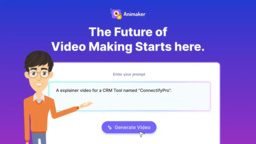
Animated video maker built in Chennai.
Starts at
Free plan

Online video editor.
Starts at
Free plan

Collaborative video editing.
Starts at
Free plan

Turn text into video.
Starts at
Free plan

Video hosting.
Starts at
Free plan

Screen recorder.
Starts at
Free plan

Video hosting for marketing.
Starts at
Free plan

Secure video hosting with DRM built in Delhi.
Starts at
₹2,400/mo

OTT platform builder built in Bhubaneswar.
Starts at
₹30,000/mo

Video transcoder.
Starts at
Free
See all 185 video tools products
Media asset management software is built for exactly this kind of content, handling large file previews, detailed tagging and fast retrieval at scale. For a team producing video or media content regularly, that means far less time spent hunting through storage for the right clip or file.
It's a specialised form of asset management built around large, complex media files — video, audio, high-resolution images — rather than general documents. It typically supports frame-accurate or timecode-based tagging for video, fast preview generation without needing to download full-size files, and detailed metadata for usage rights, talent releases or licensing. Storage and retrieval are optimised for large file sizes, and many platforms support direct integration with editing software so approved media can be pulled straight into a production workflow.
Check storage pricing carefully against your actual media volume, since video libraries grow far faster than document libraries and costs can escalate quickly. Confirm integration with the specific editing or production software your team uses day to day. Ask about upload and preview speed given typical Indian broadband conditions, since large media files can be slow to work with on a limited connection.
Upload a real, large media file during the demo and test preview speed and tagging directly, rather than relying on a small sample file. Ask how rights and licensing information is tracked and whether it can flag an approaching usage expiry. Check integration with your actual editing tools. Finally, model out storage cost at your realistic annual media output, not just your current library size.
BudgetEntry pricing starts at ₹150/month in this list.
India fit23 of 239 are built in India, with GST and rupee billing handled natively.
Try before you buy99 products have a free plan you can run a real month on.
Get an instant demo
Media asset management is specialised for large, complex files like video and audio, with features such as timecode tagging and frame-level search that general digital asset management tools may not support as deeply.
Many media asset management platforms support timecode or frame-level tagging, letting you search for and jump to a specific moment within a long video rather than scrubbing through the whole file manually.
Many established platforms integrate with common editing tools, allowing approved media to be pulled directly into a production workflow, though specific integrations vary by vendor.
This varies enormously depending on video resolution and volume produced, but is typically far higher than a document-focused business, so estimate based on realistic monthly output, not current storage alone.
Yes, most platforms allow recording licence terms, usage windows and talent release information per asset, and can flag content approaching a licensing expiry.
Need help choosing?
Tell us about your business and we send a shortlist with honest pros and cons, then arrange demos. Free — the vendor invoices you directly.