

India's most installed restaurant POS with Zomato and Swiggy integration.
RecommendedFeaturedMade in India
Starts at
Rs 12,000 · Base plan, ex tax; billing period not stated
Free, independent software advice for Indian businesses
For software companies: reach Indian businesses ready to buy
Operations & Supply Chain
POS software runs the billing counter — barcode scanning, GST invoices, payments, discounts — and extends to stock, loyalty, multi-store reporting and e-commerce sync. Retail chains, grocers, pharmacies, apparel stores and restaurants each have specialised variants.
Top rated here
1Petpooja
India's most installed restaurant POS with Zomato and Swiggy integration.
Rs 12,000 · Base plan, ex tax; billing period not stated

GoFrugal POS
Retail POS with mobile apps.
₹700/store/mo · Cash Register cloud plan, GST included

Bill Free
WhatsApp engagement and CRM platform for retailers that connects to your existing billing software.
Free (10 bills) · Standard ₹16,999/yr + GST

Odoo Point of Sale
POS in Odoo.
Free plan

Invoay Salon
Salon POS.
₹999/mo
India's most installed restaurant POS with Zomato and Swiggy integration.
Starts at
Rs 12,000 · Base plan, ex tax; billing period not stated
Retail POS with mobile apps.
Starts at
₹700/store/mo · Cash Register cloud plan, GST included
WhatsApp engagement and CRM platform for retailers that connects to your existing billing software.
Starts at
Free (10 bills) · Standard ₹16,999/yr + GST
Salon POS.
Starts at
₹999/mo

Paytm POS devices with billing.
Starts at
Pay as you go

Retail billing POS.
Starts at
Rs 707/month · Any Professional edition, or Rs 7,079/year

Omnichannel payments with gateway and POS.
Starts at
Pay as you go

Restaurant POS, digital ordering and payments.
Starts at
Pay as you go

Android POS for retail, restaurants and services built in Noida.
Starts at
Price on request · No rupee prices published on the pricing page

Smart POS devices.
Starts at
Pay as you go

Pharmacy POS.
Starts at
₹6,000/mo

Restaurant POS and inventory.
Starts at
₹1,500/mo

POS terminals from PhonePe.
Starts at
Pay as you go

Salon, spa and retail billing with CRM and inventory.
Starts at
₹999/mo

Omnichannel inventory and POS for retailers built in India.
Starts at
₹7,000/mo

POS for fashion retail chains.
Starts at
₹3,500/POS user/mo billed yearly (min 2) + taxes

Restaurant POS built in Nagpur.
Starts at
₹700/mo

POS terminals and payment acceptance for merchants.
Starts at
Pay as you go

Optical shop management software combining POS billing, prescriptions, inventory and CRM for opticians and optical chains.
Starts at
Free plan

POS for supermarkets and specialty retail.
Starts at
Price on request · Custom quote via wondersoft.com

Gym management software to handle leads, memberships, billing, POS and expenses.
Starts at
Free plan

Restaurant POS and hotel management software with online order integration.
Starts at
Free plan

Retail POS in Marg.
Starts at
One-time licence from ₹5,550 + 18% GST

POS mode in Busy.
Starts at
Priced within BUSY editions (see busy.in/pricing)

Fast POS billing, GST-aware invoices, inventory, purchases, UPI payments and reliable reports for Indian small shops. Start free.
Starts at
Free plan
EatInsta POS offers an advanced billing, inventory, and online ordering solution for restaurants, cafes, bakeries, and food businesses.
Starts at
Free plan

Payment processing, POS and gateway services.
Starts at
On request

Retail billing and inventory app.
Starts at
Free plan

GST billing and restaurant POS with KOT printing for Indian cafes, dhabas and multi-outlet chains.
Starts at
₹250/mo
Free digital ledger and POS billing app for small businesses. Manage customer dues, udhar tracking, inventory, GST invoices and business reports. Start free.
Starts at
Free plan

Restaurant POS, online ordering and CRM.
Starts at
Quote based · Price given after a free demo

POS and ordering for kirana stores.
Starts at
₹500/mo
Kirana store POS and supplier ordering.
Starts at
₹500/mo

Mobile billing and POS app for small retail shops, tracking sales, inventory, cash flow and staff.
Starts at
Free plan
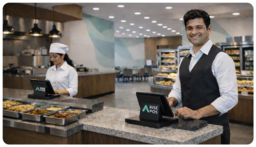
Rise POS Software offers fast, secure billing and inventory management for bakery. Boost efficiency with India's best POS solution.
Starts at
Free plan

POS in Zoho Commerce.
Starts at
₹1,250/mo

Cloud POS and billing for retail and restaurants with GST.
Starts at
Free plan

Retail POS for chains.
Starts at
From Rs 12,999 · Stated on the GST billing page; billing period and GST not specified

Retail POS and inventory for chains.
Starts at
₹3,000/mo

Retail and restaurant billing POS for Android and Windows.
Starts at
₹1,500/mo

POS devices from Razorpay (Ezetap).
Starts at
On request

India's leading offline-first restaurant POS system. GST billing, KOT management, table tracking, menu management & cloud sync. Free plan available. Works without internet.
Starts at
Free plan

AI kirana store software with POS billing, inventory, and loyalty, promotions and CRM for kirana stores.
Starts at
₹5,999/mo

Restaurant POS with QR ordering, billing, and loyalty points, rewards and referrals, charged per outlet.
Starts at
₹699/mo

Restaurant POS from QueueBuster.
Starts at
₹999/mo

Jewellery ERP and POS for manufacturers, retailers and exporters, with RFID stock audits and CAD design bank.
Starts at
On request
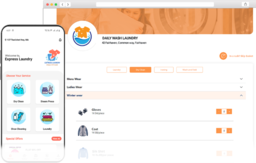
Laundry management software for laundromats and dry cleaners covering pickup, delivery, POS and billing
Starts at
₹1,800/mo

Restaurant POS.
Starts at
On request

Smart billing and ERP software for Indian businesses.
Starts at
On request

POS and offline payments now part of Razorpay.
Starts at
On request
Ordered by App Advisor rating. Nothing here is paid placement — see how we rate software.
Test billing speed at your busiest hour; a slow counter costs sales.
Check offline mode — internet in shops fails, billing must not.
For chains, central stock and pricing control matters more than counter features.
Schedule a demo
Single stores do well with GoFrugal, Vyapar or Zoho-based POS; chains and franchises typically use Ginesys, Logic ERP or Wondersoft. Restaurants should look at restaurant-specific POS instead.
India buyer's guide
POS software runs the billing counter of an Indian shop, pharmacy or restaurant. It scans barcodes, prints GST bills on thermal printers, accepts UPI, cards and cash in one sale, and reduces stock the moment a bill is saved. Restaurant versions add kitchen order tickets, table and captain management, and orders pulled in from food delivery aggregators. At closing time it produces shift reports and cash-drawer reconciliation.
Strong POS systems keep billing quick during the evening rush and carry on when the broadband drops, syncing later without duplicate bills. Weak ones freeze at peak hours, get mixed-rate GST baskets wrong, or tie you to proprietary hardware that is costly to replace. What matters most is how the counter behaves on a busy Saturday and whether sales data reaches your accounts cleanly.
Judge a POS at the counter, not in the brochure. Time how long a ten-item bill takes with a barcode scanner, then try a split payment across UPI and cash, an exchange and a return against an old bill. Pull the network cable and keep billing. Restaurants should add KOT routing to separate kitchen printers and a table merge. The best option also runs on standard printers and scanners you can buy locally.
| Product | Lowest published price | Free plan | Free trial | Demo | GST support |
|---|---|---|---|---|---|
| PetpoojaMade in India | ₹12,000 per outlet (period not stated) source | — | — | On request source | — |
| GoFrugal POSMade in India | Not published | — | 30 days source | — | — |
| Bill FreeMade in India | ₹16,999 per year source | Yes source | Yes source | On request source | — |
| Odoo Point of Sale | ₹580 per user/month source | Yes source | Yes source | On request source | — |
| Invoay SalonMade in India | Not published | — | — | On request source | Yes source |
| Just Billing POSMade in India | Not published | — | — | On request source | Yes source |
| DotPeMade in India | Not published | — | — | On request source | — |
| QueueBusterMade in India | Not published | — | 15 days source | On request source | — |
| Mswipe POSMade in India | Not published | — | — | — | — |
| GoFrugal PharmacyMade in India | Not published | — | 30 days source | — | — |
| InvoayMade in India | Not published | — | — | On request source | Yes source |
Checked on each vendor's official website (September 2026). A dash means the vendor does not publish it or we could not verify it — not that the feature is missing. Prices exclude GST unless the source says otherwise. App Advisor publishes no user ratings.
Free, no obligation
Tell us your team size, city and budget. An advisor sends a shortlist that fits and arranges demos; vendors quote you directly. Compare prices for your team size before you commit.
A single kirana, boutique or café needs a POS that staff can learn in an hour and that runs on a basic Windows PC, tablet or Android billing device. Barcode label printing, a UPI QR on the bill or customer display, GST-correct receipts and a day-end sales summary cover most needs. Offline billing is worth insisting on where the connection is unreliable. Loyalty programmes and central menu control can wait.
POS products built for India assume UPI as a default payment mode, print on the narrow thermal printers found in most Indian shops, and handle GST inclusive pricing on MRP items. Restaurant editions usually integrate with Indian food aggregators, support KOT and captain apps, and print bills in regional languages. Credit sales to regular customers, tracked as udhaar, are often built in, and support lines tend to open early and close late to match shop hours.
PetpoojaGoFrugal POSBill FreeInvoay SalonPaytm All-in-One POSJust Billing POSAirpayDotPe
App Advisor does not publish user ratings. POS complaints online tend to cluster around three things: counters freezing during peak hours, offline bills that duplicate after sync, and slow support when a printer stops. Rather than trusting star counts, recreate those situations during your trial. Bill rapidly for half an hour, disconnect the internet mid-shift, and raise a support ticket on a Sunday evening to see how quickly anyone responds. How App Advisor rates software.
A POS comparison should list billing speed, offline mode and sync behaviour, GST handling for mixed-rate and MRP-inclusive items, supported payment modes and terminal integrations, compatible printers, scanners and cash drawers, inventory and variant handling, multi-outlet central control, restaurant features such as KOT, tables and aggregator orders, loyalty and customer profiles, day-end and shift reports, accounting export, and support hours. Record whether each feature is in the base plan or an add-on.
POS software in India is usually priced per outlet or per billing terminal, charged monthly or yearly. Some vendors still sell a one-time licence with an annual support fee. Restaurant add-ons such as aggregator integration, captain apps or inventory recipes may be priced separately. Card and UPI terminals linked to the POS carry transaction charges set by the payment provider, and hardware is bought or rented on its own terms.
The monthly POS fee is rarely the whole bill. Each extra counter or outlet adds a licence, and add-ons such as loyalty, online ordering, aggregator connectors or advanced inventory can each carry a charge. Hardware — printers, scanners, cash drawers, customer displays — is a separate spend, as is on-site installation. Payment terminal fees apply per transaction. Annual prepayment usually lowers the rate, and GST at 18% applies to the software invoice.
Free POS plans typically restrict you to one outlet and one terminal, cap the number of products or bills, and leave out offline mode, inventory tracking or accounting export. Some show vendor branding on printed bills. Support is usually limited to email or a help centre. A free plan can help a small stall try digital billing, but check whether sales history carries over when you upgrade.
Trial lengths as each vendor states them are listed on the free POS software page.
Ask the POS vendor to demonstrate what happens when two counters sell the last unit of an item while one is offline. See how a return is linked to the original bill and how GST is reversed. Ask which printers and scanners are certified, whether aggregator menus sync automatically, how price changes reach every outlet, and what support is available on weekends and festival days when counters are busiest.
Food and retail startups planning to open several outlets need a POS that grows from one counter to many without migration. Central menu or catalogue control, online ordering integration, customer data for repeat marketing and clean APIs for analytics matter. Choose a system that exports sales data easily for investors and accountants, and avoid hardware lock-in that makes expansion expensive.
For MSME shops, the POS must be affordable, run on hardware already at the counter, and handle GST billing, credit customers and stock without an accountant present. Owners often want sales alerts on their phone after closing. Staff turnover makes a simple interface and regional-language screens useful. Check that the vendor or a local partner can visit if a printer or device fails.
Manufacturers running factory outlets or dealer counters need a POS linked to their ERP or inventory system, so finished goods sold at the counter reduce central stock. B2B bills with buyer GSTIN, credit limits for dealers, batch or serial numbers on durable goods, and stock transfers from the plant to the outlet with proper challans are the typical needs. Sales data should flow back for production planning.
Retail chains need a POS that handles size and colour variants, barcode labels, exchanges across stores, loyalty points and promotions set centrally. Store managers want live stock visibility across outlets to redirect customers when an item is out. Omnichannel retailers must keep online and in-store stock in sync to avoid overselling. End-of-day reports per store and per cashier help spot leakage.
Agencies rarely run a fixed counter, but event, merchandise and experiential agencies often sell on site at exhibitions, concerts or pop-up stalls. A mobile POS on a phone or tablet with a Bluetooth printer, UPI QR and GST billing works well here. Offline mode is essential at venues with poor signal, and sales should be tagged by event or client for settlement afterwards.
GST support in a POS means the correct rate on each item even in a mixed basket, HSN codes on the bill, correct back-calculation of tax from MRP-inclusive prices, B2B tax invoices with customer GSTIN on request, and credit notes when goods are returned. Daily B2C and B2B totals should feed GSTR-1 without manual work. B2B sales by businesses above the e-invoicing threshold may also need an IRN.
Consider a different POS when counters slow down at peak hours, offline bills keep causing mismatches, or add-on charges keep climbing. Before switching, export products with barcodes and GST rates, customer and loyalty balances, and sales history for your records. Check the contract for lock-in periods and hardware rental terms. Plan the changeover for a quiet weekday and keep the old system available for reprints.
Petpooja alternativesGoFrugal POS alternativesBill Free alternativesOdoo Point of Sale alternativesInvoay Salon alternativesPaytm All-in-One POS alternatives
POS affiliate programmes usually pay when a referred shop or restaurant subscribes to a paid plan. Check whether commission is per outlet or per account, whether it recurs on renewals, how long the tracking window lasts, and when payouts happen. Confirm TDS treatment on your earnings. Retail and restaurant consultants, bloggers and trade associations are typical affiliates in this category.
POS partner programmes often target hardware distributors, system integrators and restaurant consultants who install and support outlets locally. Check training and certification requirements, whether the vendor shares leads by city, how installation and support revenue is split, and what technical escalation exists when a partner cannot fix a sync or printer problem. Clarify who the customer calls first.
POS resellers typically bundle software licences with printers, scanners and on-site setup, then bill the shop directly. Check your margin on licences, freedom to price bundles, who raises the GST invoice for software and hardware, and how renewals are tracked. Understand your support duties during business hours and festival rush, when a failed counter costs the shop sales.
All verified programs across categories are in the software partner program directory. More India software guides: business software in India.
Many POS systems store bills locally when the connection drops and sync them once it returns. Quality varies: some block UPI payment checks offline or create duplicate bills after syncing. Test by disconnecting the internet mid-shift during your trial, billing for a while, then reconnecting and comparing the sales report with the bills you printed.
Many restaurant POS systems in India integrate with the major aggregators so online orders appear on the POS and print KOTs automatically. Menu and stock changes can often sync back too. Ask which platforms are supported, whether integration is an extra charge, and how order cancellations and refunds are recorded.
Some POS systems show a dynamic UPI QR with the exact bill amount and confirm payment automatically through a payment provider. Others simply let the cashier mark a bill as paid by UPI after checking a static QR. Automatic confirmation reduces errors and makes reconciliation with bank settlements easier.
A billing device (PC, tablet or Android POS terminal), a thermal receipt printer, a barcode scanner and a cash drawer cover most shops. Restaurants add kitchen printers and captain tablets. Check the vendor's list of compatible devices before buying, since some systems only work with specific models.
Most POS systems offer a central dashboard for multiple outlets, where you control prices, menus or catalogues and view sales and stock by store. Pricing is usually per outlet or per terminal. Check how quickly a central price change reaches each counter and whether stock transfers between outlets are supported.
Many POS systems capture a customer's mobile number at billing and award points, discounts or cashback. Some send offers by SMS or WhatsApp. Check whether points work across all outlets, how redemption appears on the GST bill, and whether customer consent is recorded before sending promotional messages.
Need help choosing?
Tell us about your business and we send a shortlist with honest pros and cons, then arrange demos. Free — the vendor invoices you directly.