





Quick answer: Barcode billing speeds up checkout because the cashier scans instead of searching and typing, so the line moves and entries stop going wrong. For a small shop, Vyapar offers a barcode generator and scanner inside a low-cost billing app. For multi-counter retail, pharmacy or distribution, look at GoFrugal and Marg ERP, and ask each for a live demo at your own counter before paying.
Where checkout time really goes
Stand behind your own billing counter for half an hour and watch. The scanner is rarely the slow part. Time goes into four small things: searching for an item by name, picking the wrong variant, typing a quantity, and stopping to ask the owner for a price.
Barcode billing attacks all four. A scan identifies one exact item, with its price, tax rate and stock, and the cashier never has to guess between "Parle-G 56 g" and "Parle-G 100 g". The gains are not magic: they depend on every product carrying a barcode that the system knows about. That one condition decides whether a rollout succeeds.
Three ways your products get barcodes
Before choosing software, find out which of these applies to your stock.
- Packaged goods with manufacturer barcodes. Most FMCG items already carry a printed code. You scan once to register each item, then every later sale is a scan.
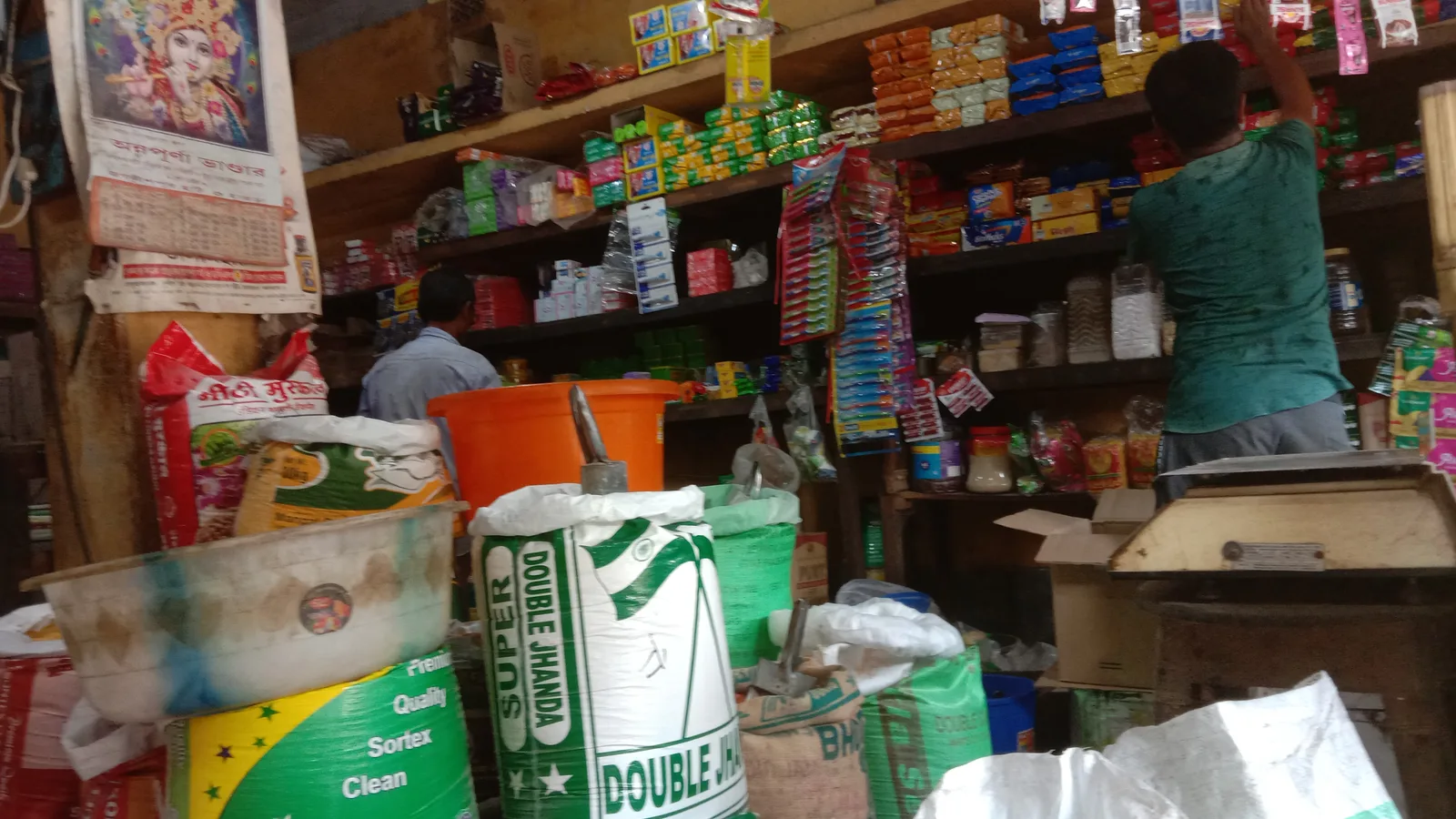
- Loose or unbranded goods. Garments, hardware, jewellery, fabric, bulk grocery. You must print your own labels.
- Batch-sensitive goods. Medicines and food, where batch and expiry matter, and a single product code is not enough.
Vyapar lists a barcode generator and scanner for quickly adding products to bills, so it covers the second case in the same app. myBillBook also lists barcode billing and batch tracking. GoFrugal's site refers to barcode and SKU management for large catalogues. Marg lists barcode management, which it describes as encoding product information into barcodes for quick and accurate billing, and barcode-wise billing on its FMCG page; ask Marg's team how label printing and scanning work in the edition you want.
What a barcode billing system should do
Use this as a demo checklist. Do not accept a "yes, we have that" without seeing it done.
- Scan to add a line, increase quantity on a repeat scan, and show the running total.
- Print labels for unbranded items, in a size your printer can take.
- Work with an ordinary USB scanner, so you are not locked to the vendor's hardware.
- Hold a bill and recall it, so one customer's search does not block the next.
- Handle returns and exchanges by scanning the original item.
- Show low-stock alerts while you bill. Vyapar lists automated low-stock alerts alongside real-time stock tracking.
- Keep working when the internet drops, or at least recover cleanly.
Comparing the tools
| Vyapar | GoFrugal | Marg ERP | |
|---|---|---|---|
| Fits best | Small shops, service-plus-retail, owner-operated | Larger retail, pharmacy, restaurants, distribution | Distribution, pharma, trading |
| Barcode (per vendor site) | Generator and scanner to add products to bills | Barcode and SKU management for big catalogues | Ask in a demo |
| Platforms | Android, iOS, Windows, Mac with cloud sync | Mobile-enabled POS and ERP | Ask vendor |
| Multi-store | Check | Site describes multi-store operations | Ask vendor |
| Pricing | Vyapar lists a lifetime free plan on mobile; paid plans on its site | Quoted by vendor | Quoted by vendor |
Vyapar also lists GST invoices, e-invoices and e-way bills, so the same scan-and-bill flow ends in a compliant document. myBillBook, which you can see at myBillBook, is an alternative at the same small-shop level and lists POS billing too.
GoFrugal's own customer examples are worth reading as scale indicators, not promises. Its website mentions a pharmacy managing 10,000+ products and 400+ suppliers and a supermarket with 28 counters. These are GoFrugal's examples; ask for references in your own trade and city.
A realistic rollout for a retail shop
Week 1: clean the catalogue. This is the hard part. Export or list your items, give each a unique name and a single price, and decide your variants. Duplicates and "misc" items defeat scanning.
Week 2: label. Scan existing manufacturer barcodes into the item master. Print labels for loose goods. Stick labels at the shelf edge or on the item, whichever your cashier can reach quickly.
Week 3: pilot one counter. Run barcode billing at a single counter during a quiet period. Keep the old method on the other counter. Note every item that fails to scan.
Week 4: switch. Move all counters once failures are rare. Keep a printed price list as a fallback for the first month.
Plan for a short dip in speed in the first days. Cashiers who have typed names for years need a few days of practice, and that is normal.
Handling the awkward cases at the counter
Most days go smoothly, and then three situations break the flow. Plan for them before go-live.
An item that will not scan. Torn labels, faded prints and glossy packaging all cause misreads. Teach cashiers one fallback, such as a quick item-code entry or a short name search, and keep a list of the fifty fastest sellers handy. If the same product fails repeatedly, reprint its label instead of working around it.
Two products with one barcode. This happens when a supplier reuses a code for different pack sizes. Fix it in the item master the first time you see it, because the mistake otherwise repeats on every bill.
Price changes. When the maximum retail price changes, the label on the shelf and the rate in the software must change together. Decide who owns updates, and make it one person's job. A mismatch between the shelf and the bill is the quickest way to lose a customer's trust.
Measure the result with a simple before-and-after: time ten bills with typical baskets before the switch and ten after. Use your own figures, not a vendor's, to judge whether the effort paid back.
Choosing a scanner and printer
Software gets the attention, but hardware causes most of the daily irritation. Buy a 1D laser or imager scanner for ordinary retail codes. Choose a 2D imager only if you need to read QR codes or codes on phone screens. For receipts, a thermal printer is cheaper to run than inkjet. Check that the software supports the exact printer model, since not every driver works with every package. Ask the vendor which hardware they have tested, and do not assume.
Who should not bother
If you sell a handful of items made to order, or you bill ten customers a day, barcodes add work for little benefit. A fast item search and a short favourites list in a basic billing app is enough. Likewise, if your catalogue changes weekly and you cannot keep it clean, fix that first.
Equally, if you need batch-wise, expiry-wise or scheme-wise selling, a simple mobile billing app may not go far enough, and a heavier pharmacy or distribution product is the correct choice. Our guide to pharmacy billing covers that case.
Train for one week, not one day. Pair each new cashier with an experienced one during peak hours, and let them scan slowly at first. Speed arrives on its own once the item master is trustworthy, and accuracy always comes before speed.
FAQs
Which billing software supports barcode scanning in India?
Vyapar lists a barcode generator and scanner, myBillBook lists barcode billing with batch tracking, and GoFrugal's site refers to barcode and SKU management. Marg says its software supports barcode management and barcode-wise billing (checked October 2026).
Do I need a special scanner for barcode billing?
Often an ordinary USB barcode scanner works because it acts like a keyboard, but confirm compatibility with your vendor first. Hardware needs vary by product.
Can I print my own barcode labels?
Vyapar lists a barcode generator for this purpose. For other tools, ask whether label design and printing is built in or needs a separate utility.
Will barcode billing reduce billing mistakes?
It removes typing and wrong-item selection, which are common sources of errors. It cannot fix wrong prices stored in the catalogue, so check your item master.
Is barcode billing worth it for a small shop?
It is worth it when you stock many items and queue at peak hours. For a tiny catalogue, a good billing app without barcodes may be sufficient.
Next step: get a free matched shortlist, or compare more in POS software.