





Quick answer: A pharmacy needs billing software that handles batches and expiry, GST rates by medicine, and fast counter billing. GoFrugal says its products reduce short-expiry stock and its site gives pharmacy examples of 10,000+ products and 400+ suppliers; Marg ERP says it is built for pharma and lists batch-wise stock, expiry and GST billing for pharmacy and distribution businesses. Demo both on your own stock before choosing.
Why a pharmacy is not an ordinary shop
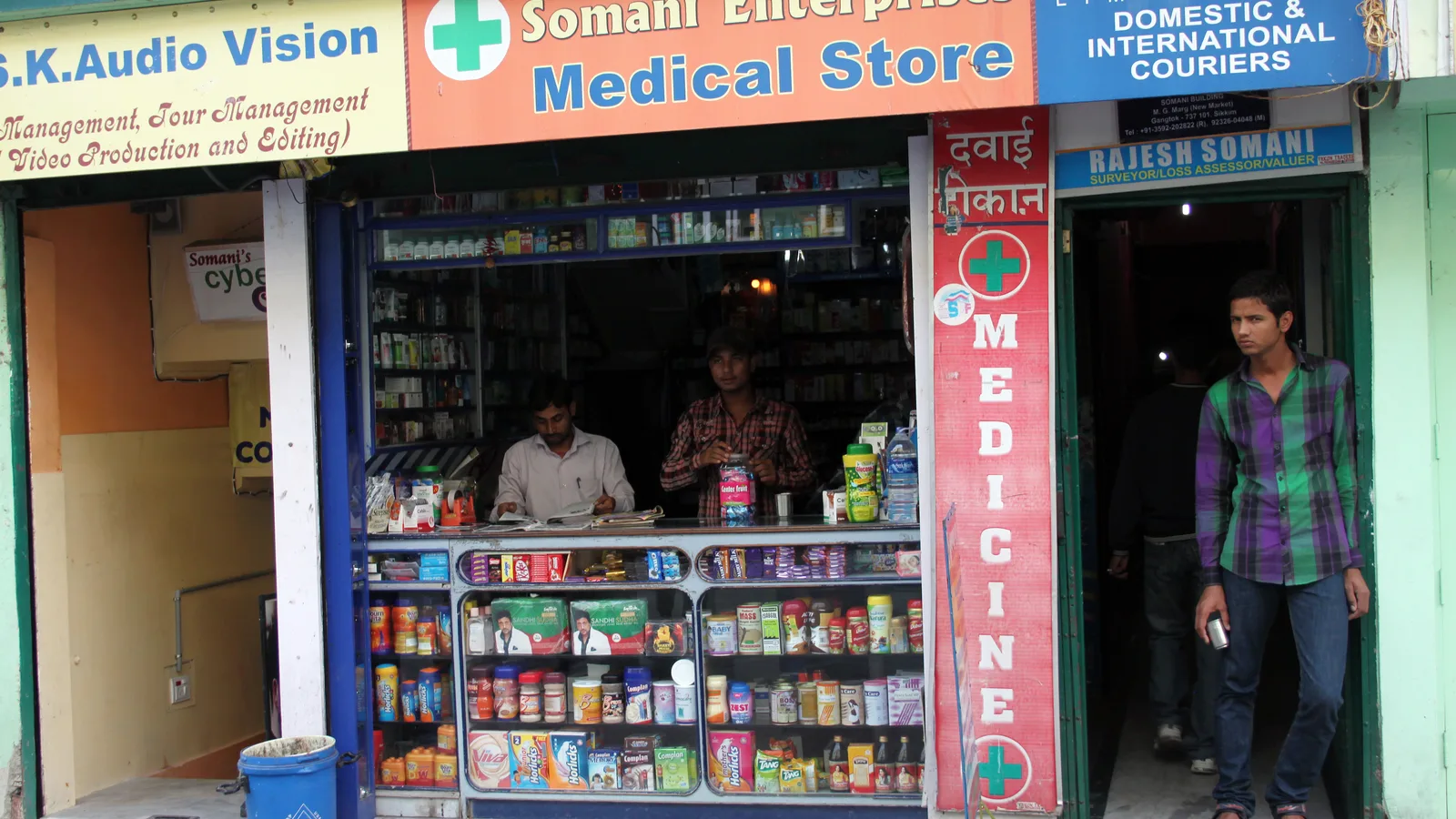
A general store sells items. A medical store sells batches. The same strip of tablets comes in three batches with three expiry dates and possibly three purchase rates, and the pharmacist must dispense the right one, usually the earliest expiry first. Add a prescription culture, a mix of GST rates, a mix of branded and generic goods, and customers who expect to be served in two minutes, and you can see why generic billing apps struggle.
The main benefit of pharmacy-grade software is not speed alone. It is not losing money on expired stock and not mis-billing tax.
The features that matter
Use this as your checklist.
| Feature | Why it matters |
|---|---|
| Batch-wise stock with expiry | Dispense earliest expiry first; know what is ageing |
| Expiry alerts and reports | Return to supplier before it is dead stock |
| Medicine search by name, salt or company | Fast counter billing |
| Barcode billing | Cuts typing and wrong-item errors |
| GST rates per product | Several rates in one bill, handled correctly |
| Purchase entry with supplier schemes | Capture free goods and discounts at purchase |
| Reorder suggestions | Stop stock-outs on fast movers |
| Customer and doctor records | Repeat sales and refill reminders |
| Multi-store support | If you have more than one outlet |
| Controlled and scheduled drug registers | Ask whether the software supports the records your licence requires; confirm with your drug inspector or advisor |
Vendors do not confirm every item above on their websites, so treat the table as a demo checklist, not a feature claim.
What the vendors say
GoFrugal: its website lists solutions for retail, restaurants and distribution, with inventory functions including stock counting and GRN, batch and expiry references (it speaks of "eliminating short expiry" in pharmacy operations), multi-store operations, mobile POS and barcode and SKU management. It gives pharmacy examples, including 10,000+ products and 400+ suppliers; those are GoFrugal's own examples, not a guarantee for your store. Its pharmacy product page is listed on App Advisor as GoFrugal Pharmacy. GoFrugal's pharmacy page says the software tracks medicines by batch number, expiry and GST details and blocks short-expiry drugs during inward and sales entry. It also lists a prefilled drug database of 50,000+ entries, substitute-drug suggestions, doctor-wise commission slabs, SMS refill reminders based on each customer's purchase interval, minimum and maximum reorder quantities, a branded online ordering app with prescription upload, and stock transfers between outlets for chains. It mentions a schedule register and safety alerts through its WhatsNow reports app. These are GoFrugal's own statements, so ask for the schedule register in the format your drug inspector expects during a demo. Pricing is quoted by the vendor.
Marg ERP: Marg says its pharmacy software manages batch-wise stock, expiry and GST billing, and its pharma page lists near-expiry alerts and PharmaNXT for product and substitute details. Its pricing page (checked October 2026) lists Nano at ₹5,550, Basic ₹10,300, Silver ₹13,900 and Gold ₹26,000, each plus 18% GST, with no billing period stated. App Advisor also lists Marg ERP Pharma. Ask Marg for a demo and for written confirmation of any feature you need.
Others to compare: App Advisor lists Vyapar Pharma and Pharmarack, among other pharmacy tools. Vyapar's site lists barcode scanning, GST invoicing, e-way bills and stock alerts in its general product. For wider reading, see pharmacy software for retail and B2B ordering and pharma distribution accounting software.
The demo that exposes weaknesses
Bring a real basket of ten medicines to the demo and run these tests.
- Sell a medicine that exists in three batches. Does the software suggest the earliest expiry?
- Sell a loose strip from a pack. How does it handle partial quantities?
- Bill items at 5% and 12% GST on one invoice. Is tax split correctly?
- Run an expiry report for the next 90 days.
- Enter a purchase bill with a free-goods scheme.
- Process a customer return and a supplier return.
- Try a power cut or internet drop. See what happens.
Do not leave the demo without seeing the expiry report. It is the report that justifies the software.
A rollout plan for a medical store
Week 1: stock take. Count stock batch-wise. This is the hardest task and the one that gives the software its starting accuracy. Do not skip it.
Week 2: import and tidy. Load item master and opening stock with batches and expiry. Fix duplicate names such as the same medicine entered by brand and salt.
Week 3: parallel run. Bill in the new software and keep the old register for a few days. Compare closing stock.
Week 4: switch and set alerts. Turn on expiry and reorder alerts. Choose a weekly day to act on them.
Month 2 onward: Return near-expiry stock to suppliers before the claim window closes, and review fast and slow movers.
How software helps the business grow
Be realistic: billing software does not bring customers by itself, but it removes leaks that fund growth.
- Less expiry loss. Early alerts let you return or discount ageing stock.
- Better purchasing. Seeing fast and slow movers stops you tying up cash in medicines that sit.
- Faster counter. Shorter queues mean walk-ins leave satisfied.
- Repeat customers. Customer records let you remind chronic-care customers about refills, if your tool and local rules support it.
- Cleaner GST. Correct rates by product make return preparation easier. For filing, see file GST returns straight from your billing data.
Who should not buy a heavy system
A very small one-counter store with a few hundred items may be fine with a simpler tool, particularly if the owner bills personally; check whether basic batch and expiry tracking is included. A multi-outlet chain or a wholesale distributor, on the other hand, should lean to ERP-grade products with centralised stock and rate control. Compare options in pharma distribution software, billing software and inventory software.
Practical habits that protect margin
Software shows the problems; habits fix them. Run a short weekly routine. Every week, print or open the list of medicines expiring within the next few months and decide for each whether to return, discount or push it at the counter. Every week, check the fast movers against the reorder level so the shelf never goes empty on a medicine people come back for.
At purchase entry, record batch, expiry and any free goods exactly as printed on the supplier's invoice. A shortcut here makes every later report unreliable. At the counter, train staff to confirm the batch on the strip matches what the screen suggests, particularly when stock from two batches sits together.
Finally, review your purchase rates against what you actually sold at. Some products carry a good margin but move slowly; others move fast on thin margin. Software that shows both lets you balance cash tied up in stock against the profit it earns.
Questions to ask every vendor
- Do you track batch and expiry natively, and can I see it?
- How do you handle scheduled and controlled drug records for my licence?
- Is data stored locally, in the cloud, or both, and how is it backed up?
- What does support cost, and what are the hours?
- Can I export my data if I leave?
- What does training and migration cost?
Talk to a few other pharmacists in your area before choosing. Local support matters in this trade: if a billing problem stops your counter on a Monday morning, the speed of the vendor's local help matters more than any feature list. Ask for the names of nearby stores using the product, and call them.
FAQs
Which is the best billing software for a medical store in India?
There is no single best. GoFrugal and Marg ERP are among the options pharmacies look at. Test batch, expiry and GST handling on your own stock.
Does pharmacy software track expiry dates?
Good pharmacy software does. GoFrugal's site refers to eliminating short expiry; ask any vendor to show the expiry report live.
Can a normal billing app work for a pharmacy?
It can for a very small store, but without batch and expiry tracking you risk dispensing or holding expired stock. Check this first.
How much does pharmacy billing software cost?
It varies. GoFrugal quotes pricing on request, and Marg publishes or quotes its own. Ask for written quotes covering licence, support and training.
Is barcode billing useful in a medical store?
Yes, it cuts typing and wrong-item errors. See our guide to barcode billing software.
Next step: get a free matched shortlist, or compare more in pharma distribution software.