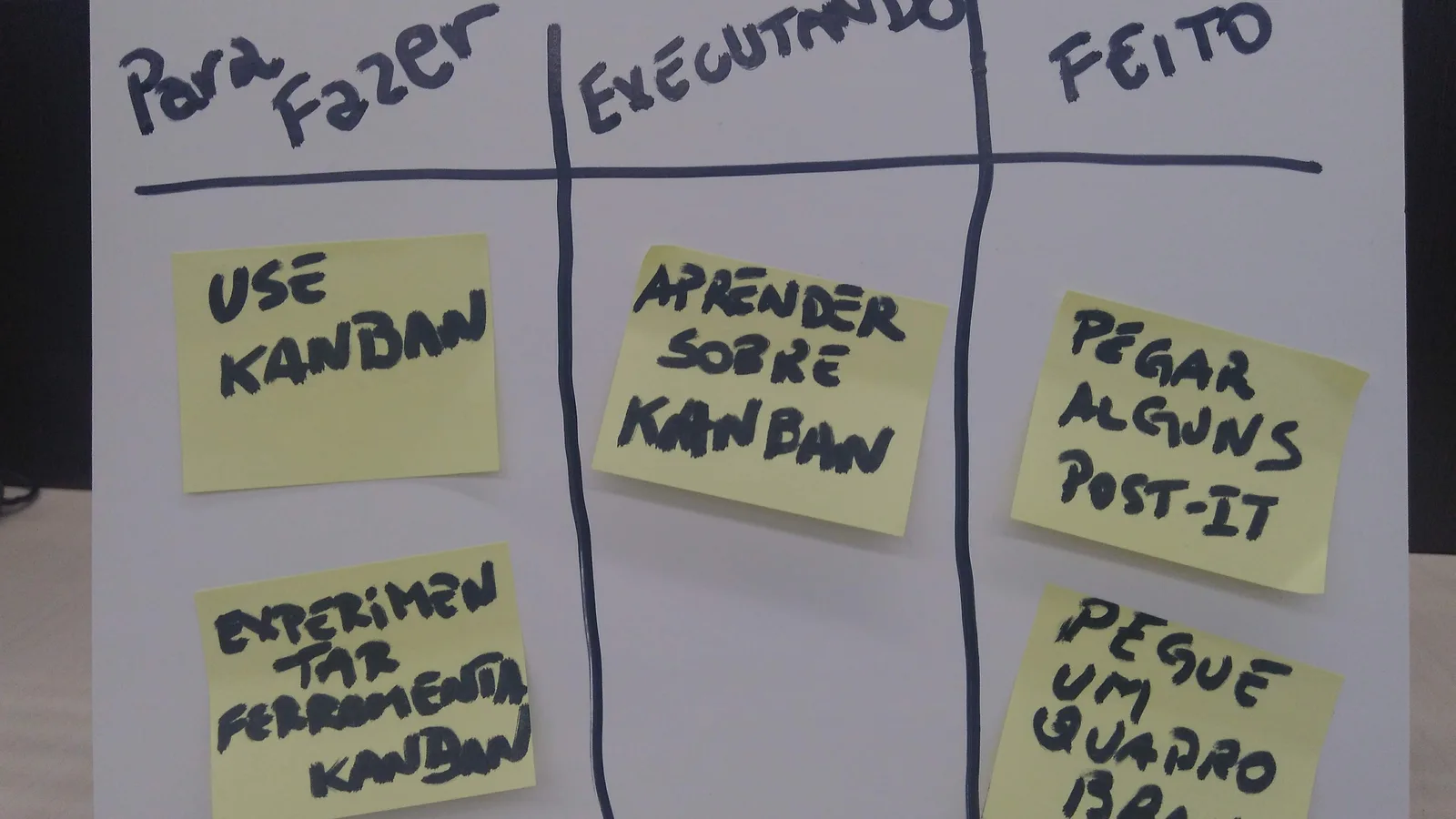




Quick answer: Use Trello if your task tracking is a flow of cards from "To do" to "Done" and you want it free for up to 10 collaborators. Use Notion if tasks must sit next to meeting notes, SOPs and a company wiki, and you are happy to pay from $10 per member a month. Both publish prices in US dollars. For a team under 10 people with one board per project, Trello's free plan is the cheapest way to start. Prices checked October 2026.
How we researched this: We read the Notion and Trello pricing pages including their billing FAQs, plus Notion's help articles on wikis and verified pages, database views and database automations. Facts are as checked in October 2026. Neither vendor shows rupee prices on the pages we read.
What each plan costs and where each free plan stops
The prices below are as published on the vendors' pages. Notion says "Price in USD" and shows $10 and $20 per member a month with a note that yearly billing saves "up to 20%". Trello shows "$ 5 USD" per user a month if billed annually ($6 billed monthly) on Standard, and so on.
| Free | Next tier | Business-grade tier | Top tier | |
|---|---|---|---|---|
| Notion | $0 | Plus: $10 per member/month | Business: $20 per member/month | Enterprise: custom |
| Trello | $0, up to 10 collaborators per Workspace | Standard: $5 annual, $6 monthly | Premium: $10 annual, $12.50 monthly | Enterprise: $17.50 annual ($210 per user per year) |
The limits that decide most purchases sit in the details:
- Notion Free allows file uploads "up to 5 MB" each, an external guest limit of 10, and 7 days of page history. Plus raises history to 30 days and Business to 90 days, with unlimited history on Enterprise. Paid plans allow unlimited file uploads with a "~5GB max per file".
- Trello Free gives unlimited cards but "up to 10 boards per Workspace", unlimited storage at 10MB per file, and 250 Workspace command runs a month. Standard lifts boards to unlimited and file size to 250MB, with 1,000 command runs. Premium adds Calendar, Timeline, Table, Dashboard and Map views and unlimited command runs.
- Seats. Notion charges per member, and its FAQ explains that removing a member opens a paid seat you can reuse for someone else without extra cost, while adding mid-month creates a prorated charge. Trello counts members added to a Workspace as billable and treats a guest on more than one board as a "Multi-Board Guest" billed at the same rate as members.
Task tracking: a board of cards versus a database
The two tools model a task differently, and that choice shapes how they age.
In Trello, a task is a card on a board, moved between lists. Standard adds card mirroring (the same card on several boards), Custom Fields and advanced checklists. Premium adds board views such as Timeline and Calendar. It is a visual system with one idea, and a new staff member can learn it in ten minutes.
In Notion, a task is a page inside a database. Notion's help article lists the views a database can show: Table, Board, Timeline, Calendar, List, Gallery and Chart. A "Board" view groups items by a property, which the article says you can use as a Kanban board "to move tasks from one status to another". So the same tasks can appear as a Kanban board for the team, a timeline for the owner and a table for the accountant. The price of that flexibility is setup time: someone has to design the database.
Automation works differently too. Trello measures it in Workspace command runs: 250 a month on Free, 1,000 on Standard, unlimited on Premium. Notion's help says database automations "are available on paid plans" and that Free users "can create Slack notification automations, but no other kinds of automations". So a team that wants "when status changes to Done, set the completion date" needs a paid Notion plan, and one that runs 400 card moves a month will outgrow Trello's Free command runs. For deeper automation across apps, our Zapier vs Make vs n8n guide shows where to go next.
Notion as a team workspace, notes and company wiki
If tasks are only half your problem, Notion's wiki features are the reason to pay. Notion's help article explains that a standalone page you have Full access to can be turned into a wiki through More > Turn into wiki, and the wiki comes with three default views: Home, All pages, and Pages I own. Pages can be "verified" for a set period or indefinitely; a verified page shows a blue check mark in search, and when verification expires its owner is notified in the Notion inbox and by email. Verifying individual pages outside a wiki is "available on Business and Enterprise Plans".
That is practical for an Indian company that has outgrown a shared drive of SOP documents. Imagine a 30-person Pune software firm with leave policy, client onboarding steps and release checklists. Each page has an owner, and each is verified for six months, so the policy that mentions the old PF process gets flagged to its owner instead of silently misleading a new joiner. Business also lists private teamspaces, granular database permissions and SAML SSO. If you are comparing company wiki platform software, also see our guides to document management and workflow software in India and the document management category.
Notion's pricing FAQ also states that Notion AI "will not use your data to train our models unless you opt in", and that it accepts "all major credit and debit card brands". The first is a vendor statement, so confirm it in writing if you store customer data in the workspace. The second matters for finance: no bank transfer or UPI is mentioned.
Trello's free Kanban boards: where they work and where they stop
Trello's Free plan is generous for a small team that thinks in cards: unlimited cards, Power-Ups per board, an Inbox that captures to-dos from email, Slack and Teams, assignees and due dates, mobile apps and two-factor authentication. The limit is the Workspace: free for up to 10 collaborators and up to 10 boards.
For a 12-person interior design studio in Mumbai running 14 live projects, one board per project does not fit in Free. Standard at $5 a user a month billed annually would cost 12 x $5 = $60 a month and lifts the board cap. Clients can be added as "Single board guests" on Standard, which suits a client who only watches their own project. A client who sits on two boards is a Multi-Board Guest and is billed like a member, so keep each client to one board, or use a shared board for them.
Trello's trial of Premium is open to all users, according to its FAQ, so you can test Timeline and Dashboard views on real work before paying. Downgrading is allowed at any time: the team keeps Standard or Premium features until the end of the prepaid period, then becomes a free Workspace that can hold 10 boards, so count your boards before the renewal date.
Starter setups you can build in an afternoon
In Trello, create one board per project with four lists (To do, Doing, Review, Done). On Standard, add Custom Fields for order value and customer name, and use card mirroring if a task belongs to both operations and accounts. Keep the free Inbox for to-dos arriving from email and Slack so nothing lives only in someone's head.
In Notion, the help article says "New databases are created as tables", and that you add a view with the + next to the database name. So build one Tasks database with the properties Status, Owner, Due date and Project, then add a Board view grouped by Status for the team and a Calendar view for the owner. Add a second database for clients and link tasks to it. Resist the urge to build ten databases in week one; an over-designed workspace is the usual reason teams abandon it.
If the choice is still close, pilot Trello for operations and Notion for documents for a month. The cost of running both for a 12-person team is 12 x $5 + 12 x $10 = $180 a month on Trello Standard and Notion Plus, which you can compare against a single tool such as ClickUp or Asana. Our guide to free business software in India shows which free tiers are worth holding on to while you decide.
Three Indian scenarios, priced at the published rates
All figures use the annual Trello price and Notion's displayed per-member price, in US dollars and before tax.
A 15-person Delhi export house tracking shipments and SOPs. Trello Standard: 15 x $5 = $75 a month; Premium: 15 x $10 = $150. Notion Plus: 15 x $10 = $150; Business: 15 x $20 = $300. If the export house only needs a shipment board with per-order cards, Trello Standard is half the cost of Notion Plus. If it also wants an SOP wiki with verified pages, only Notion Business gives page verification outside a wiki, and the cost doubles.
A 30-person Pune software services firm. Trello Premium: 30 x $10 = $300. Notion Business: 30 x $20 = $600. The extra $300 buys private teamspaces, SAML SSO, granular database permissions and page verification outside a wiki. If sprint tracking lives in a developer tool and Notion only holds documentation, Plus at 30 x $10 = $300 may be enough, provided you do not need SSO.
A 6-person Nagpur coaching start-up. Trello Free covers 6 collaborators and a few boards at $0. Notion Free suits a single user with unlimited pages, but with several members the free plan allows only a limited number of blocks, per its FAQ; at that point you are on Plus at 6 x $10 = $60.
Neither pricing page we read shows rupees. Card payments in dollars will carry your bank's conversion charge, so read our guide to SaaS priced in rupees, and our note on claiming GST input credit on SaaS before you let every manager buy their own seats.
How to choose, and how to roll it out
Choose Trello when work is a pipeline (leads, orders, content calendar, hiring) and you want the lowest cost per seat. Choose Notion when you need one place for tasks, notes, meeting minutes and policies, and someone is willing to build the structure. Choose neither for a project with dependencies, resource planning and timesheets; read our Monday vs ClickUp comparison or the project management software category.
A four-step rollout works for either tool. First, move one real project, not a template. Second, agree three status names and stick to them. Third, set a weekly 15-minute review on the board or database, so people see it is the source of truth. Fourth, keep a short written rule on what goes into the tool and what stays in WhatsApp. The work with more weight in Notion is the wiki: start with five pages that new joiners ask about most. Our note-taking category lists other tools if you only need notes.
If your CRM already holds sales follow-ups, check our guide to CRM task management for sales teams before you duplicate tasks in two places, and note where documents will live in your office suite; our Google Workspace vs Microsoft 365 comparison covers that. Teams that need to pair task tracking with chat should read our Slack vs Microsoft Teams price comparison, and our best project management software in India guide covers the wider field.
FAQs
Is Trello free for small teams?
Yes. Trello's Free plan is "free for up to 10 collaborators per Workspace", with up to 10 boards per Workspace and 250 Workspace command runs a month.
How much does Notion cost per user?
Notion's pricing page shows Plus at $10 per member a month and Business at $20, in USD, with up to 20% saved on yearly billing. Free is $0, and Enterprise is custom priced.
Can Notion replace Trello?
It can, because a Notion database can show a Board view that works as a Kanban board. It needs setup, though, and its database automations need a paid plan, so a team that only wants cards should stay on Trello.
Is Notion good as a company wiki?
Notion's help describes wikis with default views, page owners and verified pages that expire and notify their owners. Verifying pages outside a wiki is available on Business and Enterprise plans.
Do Notion or Trello accept UPI?
The pages we read mention major credit and debit cards, and Trello says Standard and Premium are bought with "any major credit card". Neither mentions UPI, so ask the vendor if you need another payment method.
Next step: get a free matched shortlist, or compare more in project management software.