4.5/5
App Advisor rating
#1Darwinbox
Darwinbox · Hyderabad · 🇮🇳 Made in India
Enterprise HCM at 1,000+ employee scale
Core HRPayrollPerformanceATSESS
Custom enterprise quote
Free, independent software advice for Indian businesses
For software companies: reach Indian businesses ready to buy

In-depth HRMS comparison · 2026
Darwinbox vs Qandle compared on pricing, modules, integrations, support, mobile apps and reviews — plus which suits your team. Get both quotes free.





Compare Darwinbox, Qandle, greytHR & 37+ more
Get the best offers
1. How many employees do you have?
1,250+
Enterprises guided
40+
HRMS vendors listed
5,00,000+
Employee lives impacted
3+ weeks
Saved in vendor selection
Quick answer
Darwinbox vs Qandle: Darwinbox does not publish prices (custom quote) and documents 2/12 HR modules; Qandle publishes pricing (₹49/employee/month) and documents 10.5/12. Qandle leads on 3 of 6 measurable factors. Pick Darwinbox for: Large enterprises. Pick Qandle for: Growing SMBs and mid-market (50+ employees).
Darwinbox (in the market since 2015, Hyderabad, India) and Qandle (since 2016, Gurugram, India) are both used by Indian businesses for HR and payroll. Darwinbox states 700 clients, 2 million users (Nov 2022 press release). Qandle states 1,000+ client organisations, 15,50,000+ active users.
Updated September 2026 · Reviewed by the App Advisor HR-tech desk · How we rate
Why buyers use App Advisor
In-depth analysis
Price transparency
Darwinbox
On request
Qandle
Published
Module coverage
Darwinbox
2/12
Qandle
10.5/12
Market experience
Darwinbox
Since 2015
Qandle
Since 2016
Integrations listed
Darwinbox
0
Qandle
0
Mobile app rating
Darwinbox
4.6★
Qandle
4.6★
Review-site rating
Darwinbox
—
Qandle
4.9★ (SoftwareSuggest)
Darwinbox (in the market since 2015, Hyderabad, India) and Qandle (since 2016, Gurugram, India) are both used by Indian businesses for HR and payroll. Darwinbox states 700 clients, 2 million users (Nov 2022 press release). Qandle states 1,000+ client organisations, 15,50,000+ active users.
On pricing, Darwinbox does not publish prices (custom quote), while Qandle publishes pricing (₹49/employee/month). Free trials: Darwinbox — not published; Qandle — Free trial and demo available.
On functionality, Darwinbox documents 2 of 12 core HR modules and Qandle documents 10.5. Neither publishes a detailed integrations list — ask for one in the demo.
Qandle leads on 3 of 6 measurable factors. Pick Darwinbox for: Large enterprises. Pick Qandle for: Growing SMBs and mid-market (50+ employees).
| Side-by-side | ||
|---|---|---|
| Company | ||
| Company | Darwinbox | Digital Ecom Techno Private Limited |
| In the market since | 2015 (11 yrs) | 2016 (10 yrs) |
| Headquarters | Hyderabad, India | Gurugram, India |
| Customers (vendor-stated) | 700 clients, 2 million users (Nov 2022 press release) | 1,000+ client organisations, 15,50,000+ active users |
| Top clients | JSWAdaniVedantaMahindraKotakNSESwiggyStarbucks source | Not published |
| Pricing | ||
| Pricing model | Not published | per employee/month |
| Plans | Custom quote — catalogue: On request |
|
| Free plan | Not published | No |
| Free trial | Not published | Free trial and demo available |
| Implementation fee | Not published | One-time implementation fee, varies by user count/modules; minimum billing 50 users |
| Ideal for | ||
| Best suited to |
|
|
| Features in depth | ||
| Core HR | Included AI-native HCM platform | Included Digital records, onboarding/offboarding, 40+ HR modules |
| Payroll | Not documented | Included Automated payroll with tax calculations |
| Attendance | Not documented | Included Biometric/GPS attendance, face recognition, geo-fencing |
| Leave | Not documented | Included Leave management (web and mobile) |
| Shift & roster | Not documented | Add-on Add-on (Shift Planning) |
| Performance | Not documented | Included Performance management and OKRs |
| Recruitment (ATS) | Not documented | Included ATS with AI resume screening |
| Employee self-service | Not documented | Included Mobile-first app for attendance, leave, payroll |
| Expense & claims | Not documented | Included Expense management |
| Learning (LMS) | Not documented | Not documented |
| Analytics & reports | Not documented | Included HR analytics and reporting |
| AI features | Included AI at the core; Darwinbox Cortex next-gen offering (early access) | Included AI resume screening; HR chatbot |
| Compliance & security | ||
| Statutory compliance | Not published | Not published |
| Security certifications | Not published | Not published |
| System uptime | No public SLA | No public SLA |
| Support | ||
| Channels | Not published | EmailPhoneDedicated account manager |
| Hours | Not published | 24/7 (vendor claim) |
| Onboarding | Not published | Paid implementation; dedicated success team |
| Integrations | ||
| Third-party integrations | Not published | Not published |
| API | Not published | Not published |
| Apps & reviews | ||
| App availability | WebAndroid 4.6★ | |
| Customer reviews |
|
|
| App Advisor rating | 4.5/5 editorial | 4.6/5 editorial |
| Pros & cons | ||
| Strengths |
|
|
| Limitations |
|
|
Researched September 2026 from each vendor's website, Google Play / App Store and independent review sites. "Not published" means the vendor does not state it publicly — ask in your demo. Vendor-stated figures are shown as claims.
Darwinbox
HRMS options showcase
Ratings are App Advisor editorial scores (0–5) based on features, compliance depth, pricing transparency and India support — not paid placements.
4.5/5
App Advisor rating
Darwinbox · Hyderabad · 🇮🇳 Made in India
Enterprise HCM at 1,000+ employee scale
Core HRPayrollPerformanceATSESS
Custom enterprise quote
4.6/5
App Advisor rating
Qandle · Gurugram · 🇮🇳 Made in India
Configurable workflows for mid-market
PayrollAttendancePerformanceESSATS
Starts at ₹2,450/mo
4.9/5
App Advisor rating
Greytip Software · Bengaluru · 🇮🇳 Made in India
Best for Indian payroll compliance
PayrollAttendanceESSLeaveCompliance
Free plan available
4.7/5
App Advisor rating
Keka Technologies · Hyderabad · 🇮🇳 Made in India
Top pick for modern, growing teams
PayrollAttendancePerformanceATSESS
Starts at ₹6,999/mo
Industry-wise HRMS
Pick your vertical to see the top 3 recommended platforms and the compliance features that matter most.
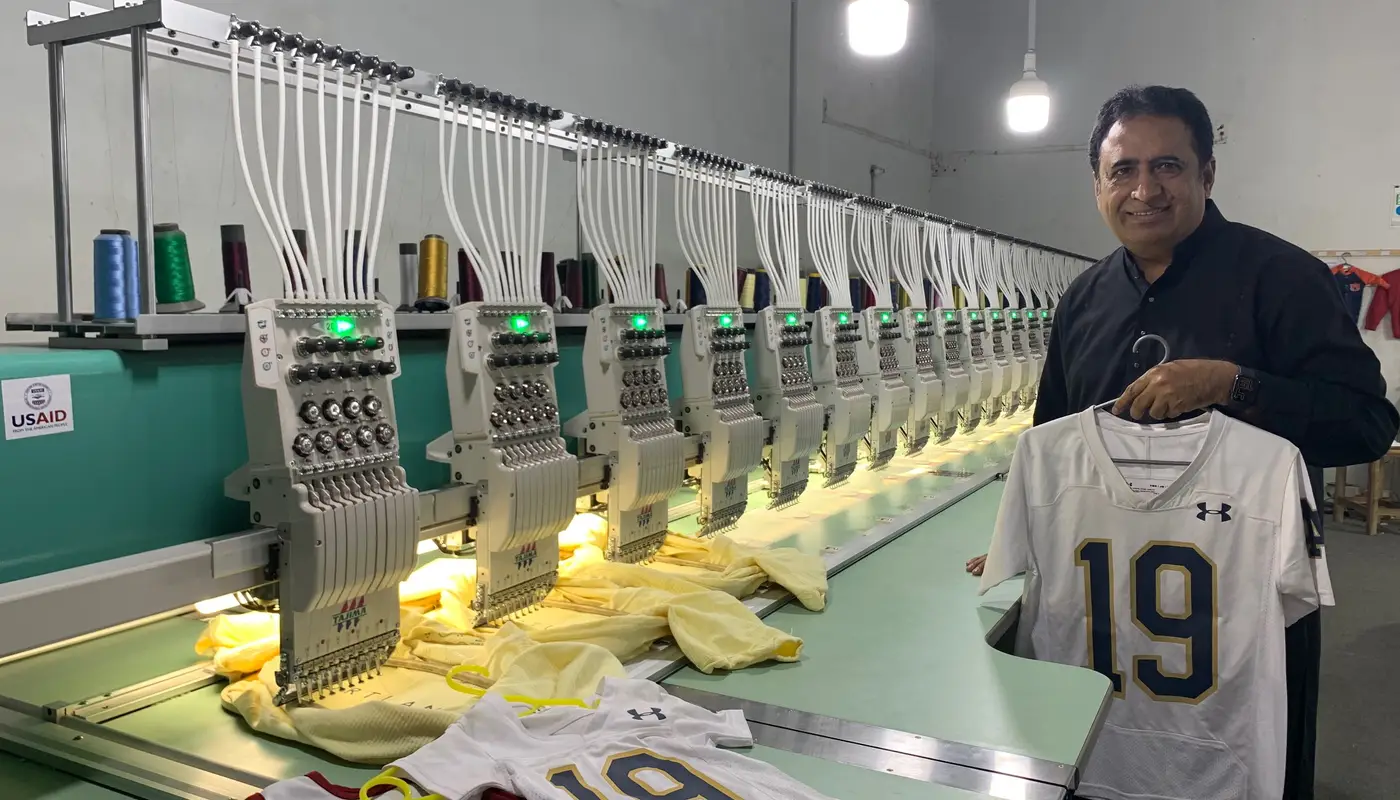
Industry spotlight
Platforms trusted by 10,000+ businesses across India

Official customer stories
Quotes published by each vendor on its own customer page — linked to the source.
“We are able to process Payroll in 3-4 hours with end-to-end compliance”
Urvashi Jain
HR, Akshay Credit Co-operative Society
“Within HR operations alone, the company achieved a 20 to 30% productivity increase”
Gaurav Bubber
HR Head, Esyasoft
HRMS feature checklist
Ask each vendor to show — not just say — these. Tap a group to expand.
HRMS FAQs
Darwinbox does not publish prices (custom quote). Qandle publishes pricing (₹49/employee/month). Final price depends on headcount and modules — App Advisor can get both quotes with any available discount.
Darwinbox is older: Darwinbox started in 2015 and Qandle in 2016.
Darwinbox: Android available (4.6★), iOS not confirmed. Qandle: Android available (4.6★), iOS available.
Darwinbox: no public uptime SLA. Qandle: no public uptime SLA. Ask each vendor for the SLA in writing, with service credits.
Darwinbox: Large enterprises; Multi-country organisations (India, SE Asia, Middle East). Qandle: Growing SMBs and mid-market (50+ employees); Buyers wanting à-la-carte modules; IT, manufacturing, retail, healthcare, education.
An HRMS (Human Resource Management System) is software that runs the full employee lifecycle in one place: employee records (core HR), attendance and leave, shift rosters, payroll with Indian statutory compliance (PF, ESIC, PT, LWF, TDS), employee self-service (ESS) on mobile, performance reviews and recruitment (ATS). Cloud HRMS is sold as SaaS, billed per employee per month.
There is no single best — it depends on headcount and priority. For payroll-compliance-first SMEs, greytHR, Keka and Zoho People are the most shortlisted. For field and factory attendance, factoHR, Pocket HRMS and HRMantra stand out. For 1,000+ employee enterprises, Darwinbox, PeopleStrong and ZingHR lead. Tell us your team size and priority and App Advisor sends a matched top-3 in 2 minutes, free.
Most cloud HRMS in India costs ₹40–₹150 per employee per month. Free plans exist for very small teams (greytHR, Kredily, Zoho). SME packages typically start around ₹2,500–₹7,000 per month for up to 50 employees; enterprise HCM (Darwinbox, PeopleStrong) is custom-quoted with one-time implementation fees. Biometric devices cost extra (₹4,000–₹25,000 per device). Ask App Advisor for current negotiated prices.
Yes — greytHR, Kredily, Zoho People and RazorpayX Payroll offer free or free-plan tiers for small teams, usually with limits on employees or modules. Free plans suit under 15–25 employees; once you need statutory payroll, biometric sync or approvals, paid plans are more practical.
HRIS is the employee database and core records. HRMS adds operational processes — attendance, leave, payroll and self-service. HCM (Human Capital Management) adds strategic talent functions — performance, learning, succession and workforce analytics. Most Indian vendors sell modular HRMS that grows into HCM.
Cloud (SaaS) HRMS is better for over 90% of Indian businesses: no servers, automatic statutory updates when PF/ESIC/tax rules change, mobile apps and pay-per-employee pricing. On-premise suits only organisations with strict data-residency policies or very large custom integrations; it needs IT staff and manual compliance updates.
Use a mobile attendance app with GPS geofencing and selfie verification: employees punch in only within a set radius of the site or client location, the app records a timestamped location trail, and offline punches sync when network returns. factoHR, Pocket HRMS, HROne and Zoho People all offer this; the data flows straight into payroll.
Replace PIN or card punches with face recognition that includes a liveness (anti-spoofing) check, or fingerprint biometrics. For mobile attendance, combine selfie verification with geofencing and device binding so one phone can’t punch for another employee. Review exception reports for identical punch times weekly.
Yes. Most Indian HRMS integrate with eSSL, ZKTeco, Matrix, Realtime and similar devices through a cloud push service or a small sync utility, so punches land in the attendance module in near real time and payroll calculates LOP, overtime and late marks automatically.
Good Indian HRMS do: they compute PF/EPS/EDLI, ESIC eligibility and contributions, state-wise Professional Tax and Labour Welfare Fund, TDS under old and new regime, and generate ECR files, challans and Form 16. Confirm in the demo that your states’ PT/LWF slabs are pre-configured.
Small businesses go live in 1–2 weeks (employee import, salary structures, leave policy). Mid-market rollouts take 3–6 weeks including biometric integration and a parallel payroll run. Enterprise HCM implementations take 2–4 months. Always run one parallel payroll before switching off the old system.
Keka, HROne, Zoho People, factoHR and Darwinbox are consistently rated strong on mobile — covering punch-in with selfie/GPS, leave, payslips, reimbursements and approvals on Android and iOS. Test the manager-approval flow on the app during your demo, not just the employee view.
App Advisor is 100% free for buyers — no advisor fee, ever. We are an independent advisory; partner vendors pay us a referral fee when a buyer chooses them, which never changes the price you pay and often unlocks an extra App Advisor discount. We recommend based on fit, and you can choose any vendor, including ones outside our partner list.
An App Advisor HR-tech specialist reviews your team size, industry and priority, then WhatsApps or calls you within one working day with a matched top-3 shortlist, indicative pricing and any special offer. With your consent, only the vendors you pick get your details and schedule demos — no spam, no mass selling.
Still deciding?
1. How many employees do you have?
Free download
16 platforms · pricing · modules · compliance checklist — in Excel.
Head-to-head
Pricing, modules, integrations, support, uptime, apps, reviews and clients — side by side.
Explore HRMS guides
Tell us your team size and priority — get a matched shortlist, best price and demos arranged. Free, unbiased, no obligation.